prism-app
Release Notes - Week of March 4, 2026
LearnLens Extension
What’s New
Courses surface where you’re already learning — inside YouTube
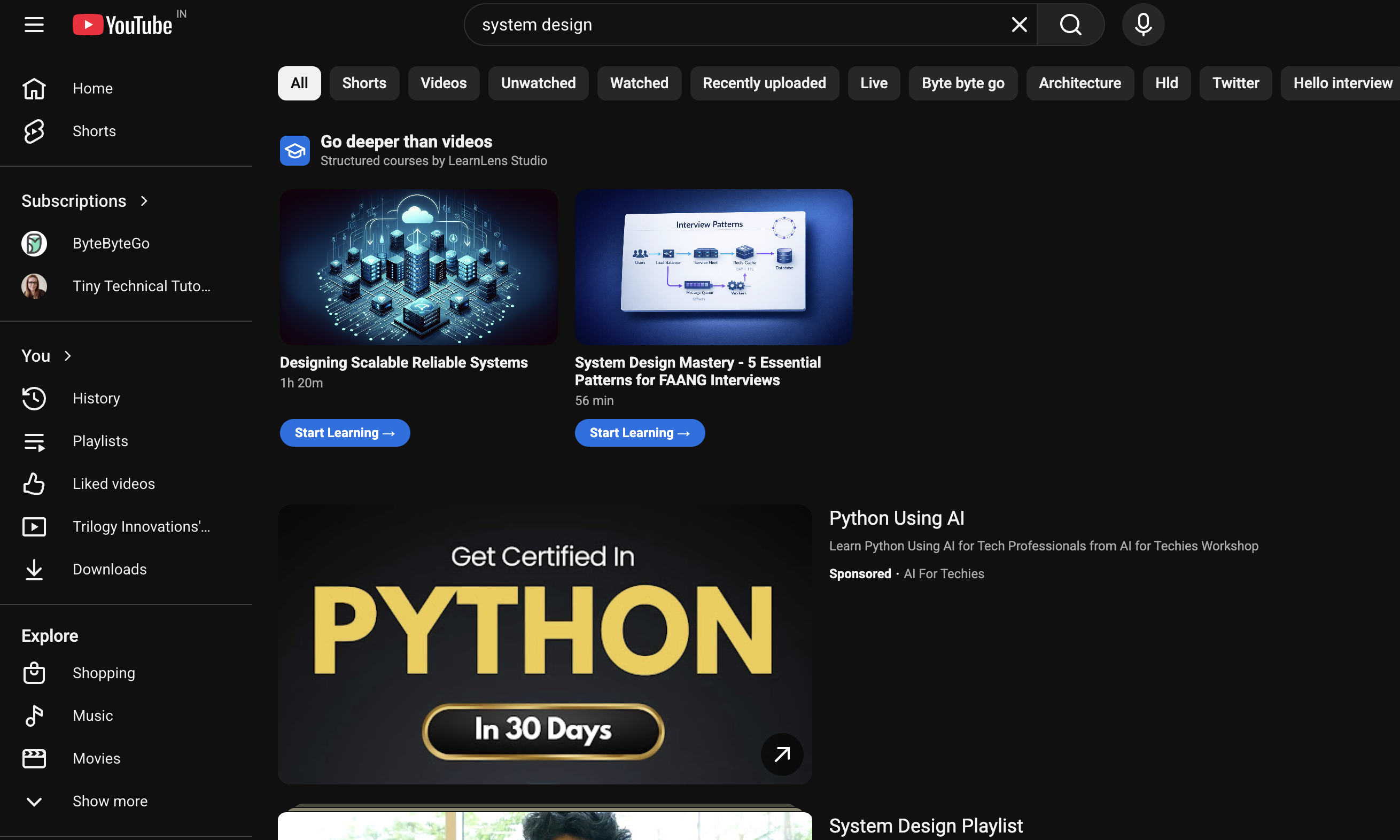
LearnLens now recommends relevant courses directly on YouTube, so discovery happens in context, not as an afterthought.
- Search YouTube → A course carousel appears alongside your results, matched to what you searched.
- Watch a video → A dedicated Courses tab appears on the page with courses relevant to what you’re watching.
- Browse over time → LearnLens tracks your watching behavior, detects gaps in your knowledge, and proactively surfaces the courses that will fill them.
Recommendations are powered by AI semantic search — matching on meaning across the full video summary, not just keywords — so results are genuinely relevant, not just topically adjacent.
LearnLens Studio
What’s New
You always know exactly where you stand at the end of a course
When the final segment of a course ends, LearnLens now shows a contextual overlay based on your actual progress — not a one-size-fits-all screen:
- Course Completed — Every segment done. You finished the course. Shown when the last segment wraps up and nothing is left incomplete.
- Session Ended — The final segment finished, but some earlier segments are still incomplete. Your progress is saved and waiting — pick up wherever you left off.
- Already Completed — You’re re-watching the last segment of a course you previously finished, but there are incomplete segments elsewhere. A prompt to revisit what you may have skipped.
Captions and controls no longer fight each other
The progress bar no longer overlaps captions during playback and the player controls stay out of the way when you’re reading.
Fully responsive across devices
All pages and components are now optimized for mobile. Whether you’re on a phone or a wide monitor, the layout adapts cleanly.
For Developers Building on LearnLens
The API docs are public — no sign-up required to explore
The Swagger UI is live at studio.learnerslens.ai/api-docs.
Authentication is handled via Google OAuth. Sign in with Google directly on the Swagger UI page — your token is auto-injected so you can try any protected endpoint immediately without manually setting headers.
If you’re building a wrapper or integration to recommend LearnLens courses inside your own product, you can do that directly using the APIs above — the search endpoint is purpose-built for exactly this use case.
Continue Your Learning Journey