prism-app
Release Notes - Week of February 4, 2026
LearnLens Studio
What’s New
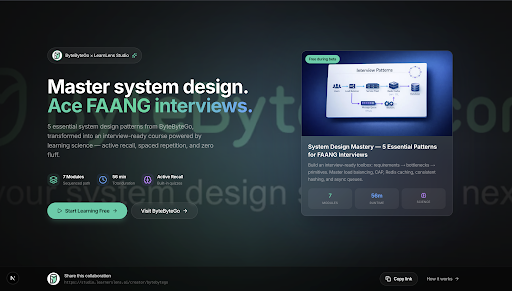
Dedicated creator landing pages (built to share with your audience)
Creators now have their own landing pages, making it easy to share LearnLens Studio with their audience—and ensuring every course stays true to their teaching style:
- Creator-only content: search and course videos are automatically filtered to that creator’s library.
- Creator-style course generation: structure, outcomes, practice questions, and study notes match their frameworks, terminology, and mental models.
- One-click access + sharing: jump into curated learning fast and share creator collaborations easily.
Choose how you consume “Before You Start”
You can now toggle Text or Audio for course introductions, with a cleaner layout and a consistent creator/avatar presence in both modes.
Practice questions are now optional
When creating a course, you can turn practice questions on or off—so you can move faster when you want the core content, or add reinforcement when you need it.
Easier to discover — and easier to trust
- AI search optimization: content is now fully visible to AI crawlers for better recommendations and discovery.
- Stronger documentation: 10+ peer-reviewed citations with DOI links, plus editorial policy and about pages for transparency.
Creators: See what your referrals drive (first-touch tracking)
Creators can now understand downstream impact with:
- Cross-session persistence from first landing through signup and course creation
- Lifetime value attribution for referred learners
- Video-level analytics including unique videos watched and total watch time
Fixes
- Fixed audio overlap: switching course segments now stops previous audio immediately.