prism-app
Release Notes - Week of January 21, 2026
LearnLens Studio
What’s New
A learning experience that fits you (not the other way around)
You can now set up a personalized learning profile so every course feels like it was made for your level, your goals, and your preferred way of learning.
- Students (Grades 1–13): Grade-appropriate titles, explanations, questions, and overall pacing—so learning feels like school (in a good way).
- Professionals: Adult-level learning with optional, relevant industry context—applied only when it actually improves understanding.
- Grade 13 clarity: Grade 13 is now clearly labeled as college/university level for learners worldwide.
Choose how you learn with 5 learning styles
Pick the learning style that helps concepts “click” faster—then LearnLens adapts course assembly, explanations, and assessments to match.
- Kid-Friendly (Students): Simple, fun explanations for younger students (auto-selected when appropriate).
- Simplified (Professionals): Clear, no-fluff learning for professionals—great for fundamentals or brand-new domains.
- Hands-On: Practical, project-based learning with actionable steps.
- Theoretical: Deep, rigorous explanations with academic depth.
- Balanced: A strong mix of theory + practice (auto-selected for older students).
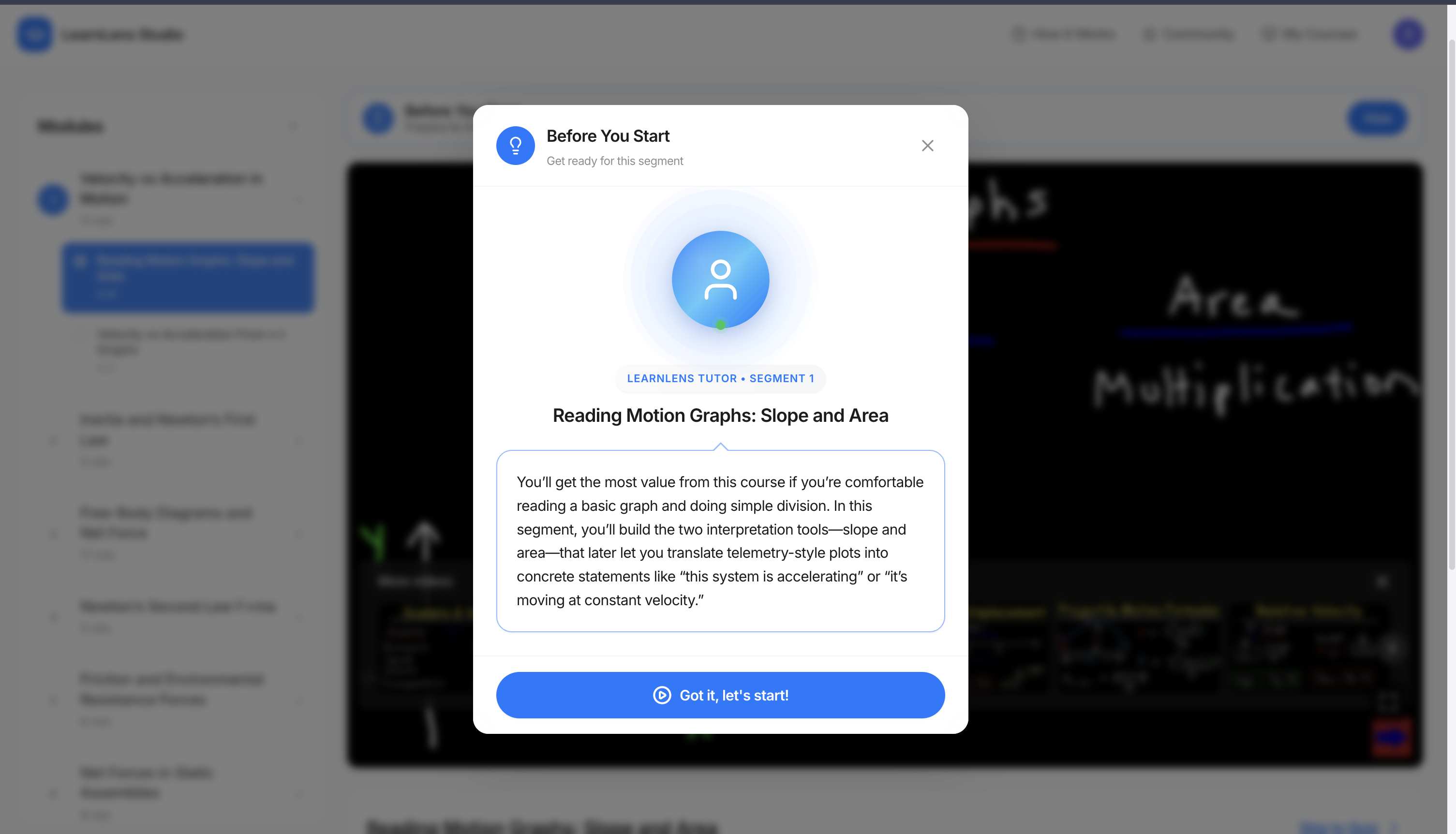
Professional voice narration for “Before You Start”
Course introductions now come with high-quality AI narration—so you can listen to the overview, get oriented faster, and start with confidence.
- Always available: Audio is generated and stored with each course for instant playback.
- Polished playback UI: A clean, Apple-inspired pulsing avatar with smooth animations.
- Smart auto-play: Plays automatically after your first interaction (browser-policy friendly).
Smarter course building that prioritizes coverage and continuity
Courses are now curated more intelligently to improve comprehension and reduce “gaps” mid-course.
- Curated to your style: Content is selected and organized around how you learn best.
- Comprehensive first: We prioritize covering all key concepts so you don’t miss important foundations.
- Creator continuity: When possible, we keep courses within a single trusted creator for consistent terminology and teaching style.
- Age-appropriate selection: Titles, descriptions, questions, and thumbnails better match student vs professional expectations.
Better pre-assessments that reflect what you know and how you learn
Pre-tests now adapt both to your learning style and your learner type, creating a smarter starting point for each course.
- Style-aware questions: Prompts align to hands-on vs theoretical vs simplified learning.
- Right-level language: Clear, appropriate phrasing for your grade level or professional context.
Seamless Extension ↔ Studio integration
Moving between learning on YouTube and your Studio experience is now effortless.
- Studio banner in the Extension: Jump straight into your full Studio when logged in.
- Extension banner in Studio: Install the Chrome extension in one click to unlock LearnLens on any YouTube video.
Polished onboarding and more usable prompts
- Two-step onboarding: Faster setup for your learning profile with clearer guidance.
- Sticky action buttons in retrieval prompts: Key action buttons now stay visible so you can respond and continue without scrolling.
Continue Your Learning Journey