prism-app
Release Notes - Week of October 27, 2025
PrismX
What’s New
PrismX Just Got Smoother: Your Tweet Creation Experience, Perfected! ✨
We’ve been listening to your feedback and fine-tuning every detail of your PrismX experience. This week’s updates eliminate those little friction points that slow you down, making your branded content creation faster, cleaner, and more reliable than ever.
-
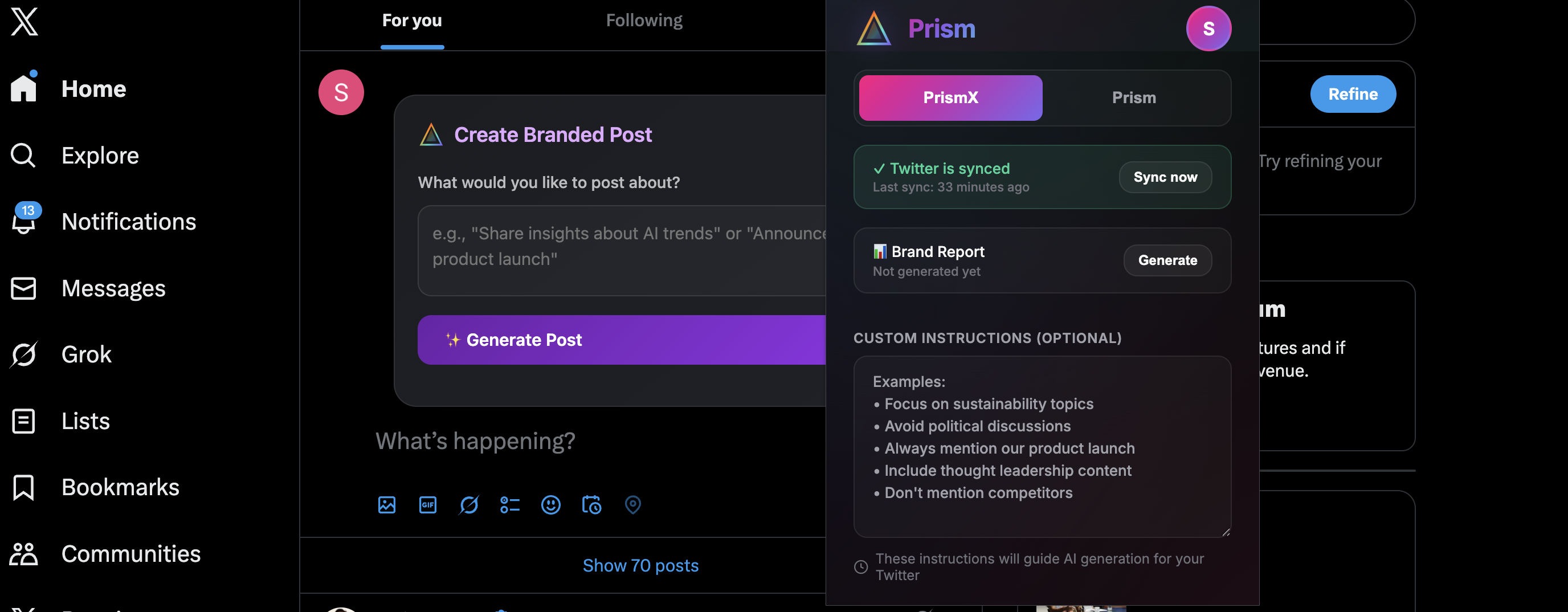
🎯 Perfectly Positioned Post Creation: Your post generation panel now appears exactly where you need it—aligned at the top of your X home feed, right where your eyes naturally land. No more hunting for the compose box; it’s front and center, ready when inspiration strikes. Plus, we’ve eliminated duplicate panels that could appear during navigation—now you’ll always see exactly one clean, properly positioned panel.
-
🔄 Smarter Custom Instructions: Your personalized tweet preferences now persist exactly as you set them. Tell PrismX once how you want your content crafted, and it remembers—no need to re-enter your instructions every time you create a post.
-
🚫 Duplicate-Free Interface: We’ve eliminated the annoying reply button duplication issue. Your X interface now stays clean and clutter-free, with each button appearing exactly once, exactly where it should be.
-
✨ Refined Layout & Navigation: Experience a more polished, intuitive interface with improved spacing, better visual hierarchy, and smoother interactions throughout the extension. Every pixel has been optimized for your workflow.
-
🔐 Seamless Experience Switching: When you log out of Prism or your session expires, the extension now automatically switches you to PrismX mode so you can keep working without interruption. No more confusing states or broken workflows—just a smooth, continuous experience.
🎯 Bottom Line Benefits
- Faster Workflow: Post creation panel positioned for instant access—no duplicates, no confusion
- Set It & Forget It: Custom instructions that actually stick
- Cleaner Interface: No more duplicate buttons or panels cluttering your screen
- Better Experience: Polished UI that feels natural and responsive
- Uninterrupted Productivity: Automatic mode switching keeps you working even when sessions change
Install Prism Twitter Extension
LearnLens
What’s New
Your Learning Companion Just Got Smarter & Faster! 🎓
We’ve supercharged LearnLens to make learning from videos more efficient, intuitive, and enjoyable. This week brings major improvements to chat intelligence, code readability, and overall reliability—everything you need for a seamless learning experience.
-
🚀 Lightning-Fast, Laser-Focused Chat: Get answers that cut straight to the point. Our enhanced chat now concentrates exclusively on your video’s content, delivering faster responses with pinpoint accuracy. No more wading through irrelevant information—just the insights you need, when you need them.
-
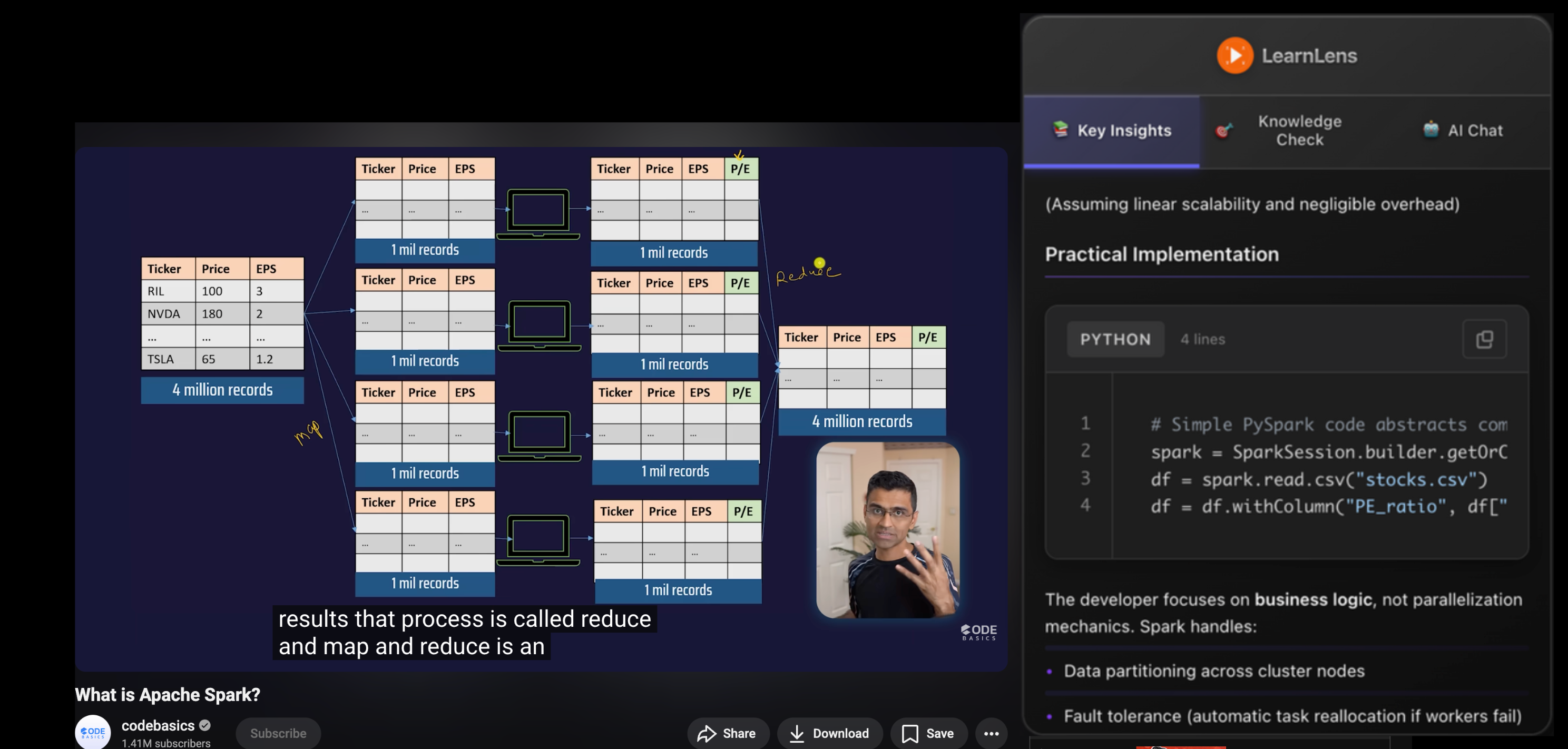
💻 Beautiful Code Display: Code snippets now look like they belong in VS Code! Enjoy professional syntax highlighting for Python, JavaScript, TypeScript, Java, C++, SQL, and more. Line numbers help you follow along, and the one-click copy button means you can grab any snippet instantly. Perfect for those late-night coding tutorial marathons.
-
🎯 Smarter Timeline Navigation: Question markers now intelligently align with your video’s actual duration, giving you perfectly distributed learning checkpoints throughout your content. Whether you’re watching a 10-minute tutorial or a 3-hour deep dive, navigation just works.
-
🔄 Set It & Forget It Reliability: Built-in automatic retry handles temporary hiccups so you never have to refresh manually. Enhanced error handling means smoother summary and Q&A generation, even with the most complex technical content. Just focus on learning—we’ll handle the rest.
-
📊 Crystal-Clear Diagrams: Technical diagrams and flowcharts now render more reliably with improved Mermaid support. Complex visualizations display beautifully, helping you grasp difficult concepts faster.
🎯 Bottom Line Benefits
- Faster Learning: Quicker, more accurate answers save you precious study time
- Better Code Study: Professional formatting makes following coding tutorials effortless
- Seamless Navigation: Smart timeline markers guide you through content perfectly
- Zero Interruptions: Automatic error recovery keeps your learning flow unbroken
- Clearer Understanding: Reliable diagram rendering helps complex concepts click